HUNTER'S BAR INFANT SCHOOL
COMPUTING
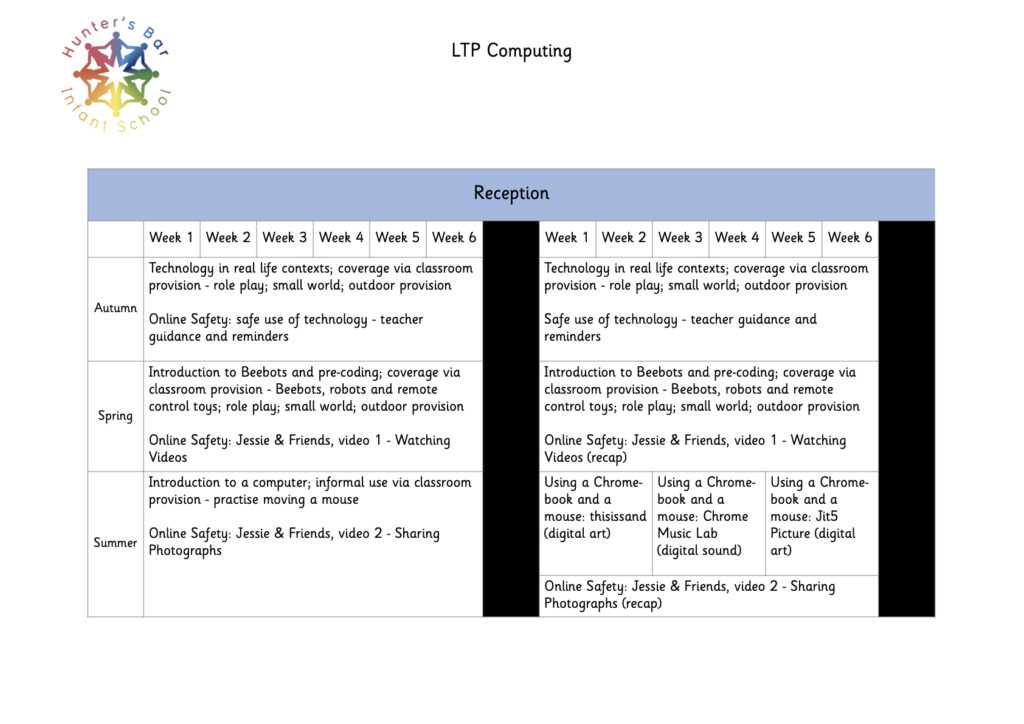
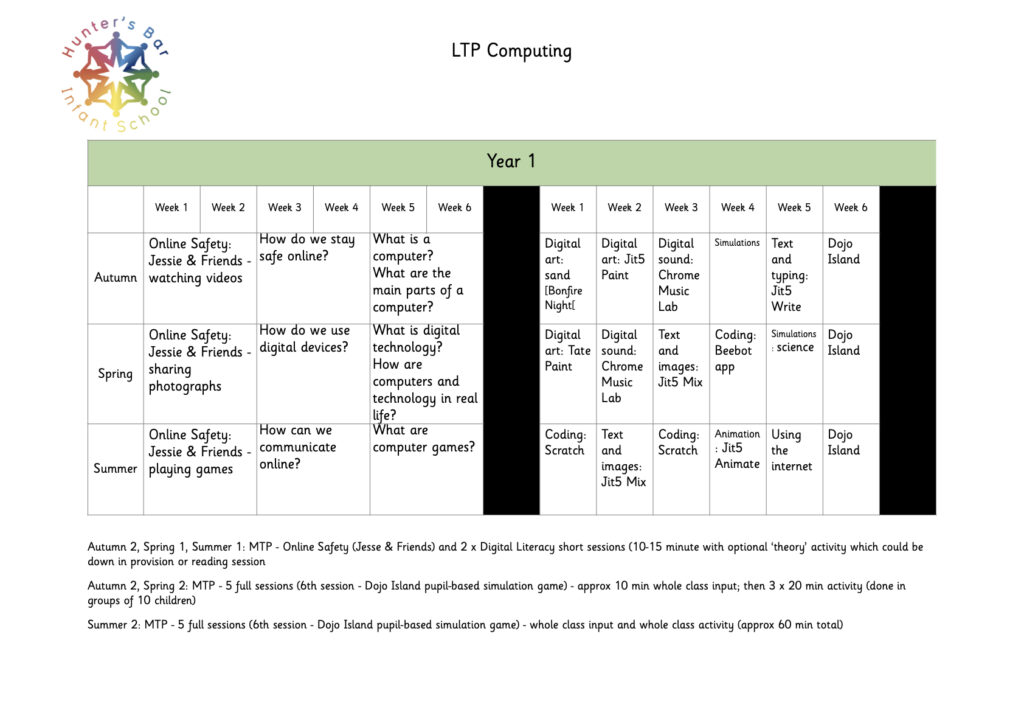
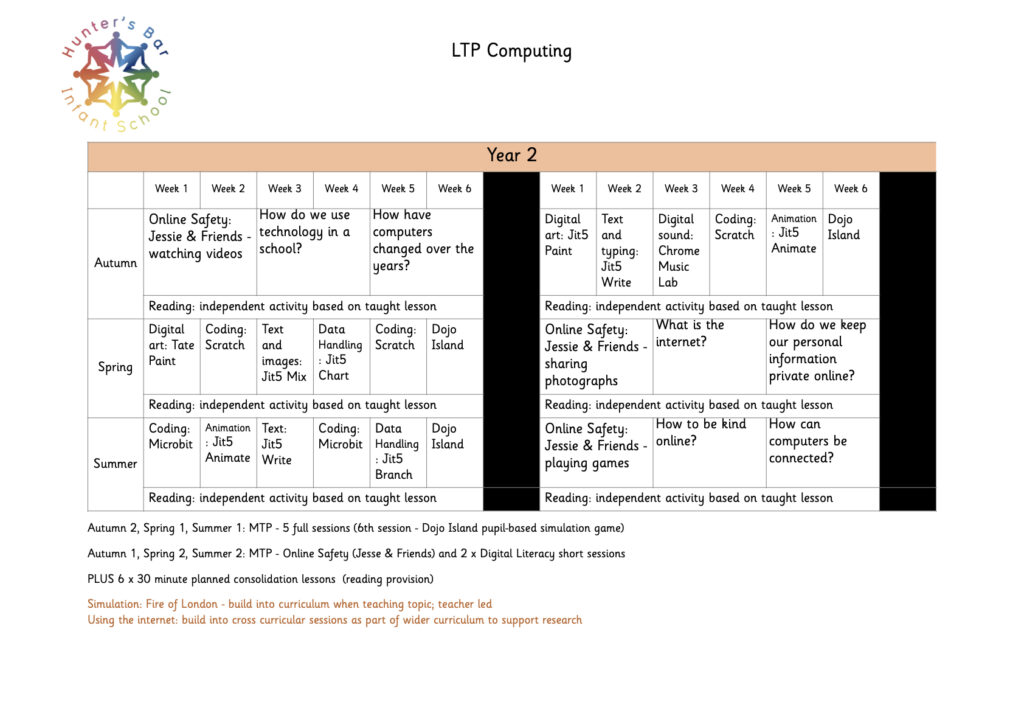
All Key Stage 1 classes have a weekly timetabled computer lesson where they have access to ChromeBooks, iPads, and various other technology/ICT devices. In addition, each class make use of Chromebooks and iPads to enhance their learning.
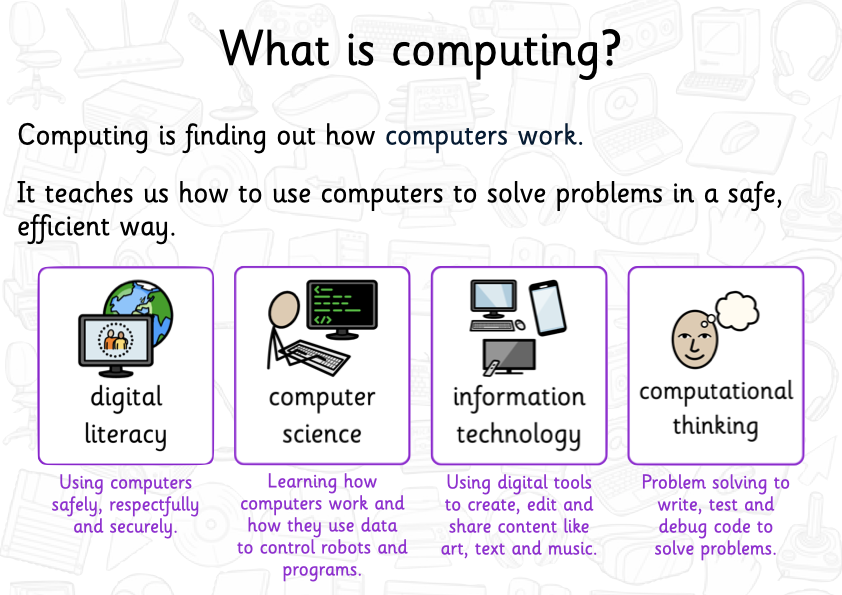
In their Computing lesson children look at three strands of the curriculum: Computer Science, Information Technology and Digital Literacy.
Computer Science is about using computational thinking to solve problems and make things for a given purpose, often through coding. This may involves writing and debugging programs on Micro:Bits, Scratch, Scratch Jr and other coding software, or creating and testing flowcharts, on programs like Flowol.
Information Technology is about how technology and technological devices work. Children will learn about the different parts of a computer, the difference between input and output devices, when it is useful to use a computer but also when a computer isn’t needed. This strand is also about solving problems and making useful things, using digital tools, such as spreadsheets, video editing applications and so on. Some examples of the work undertaken by our children include creating a slideshow presentation about a researched topic, using a graphics app to create artwork, using a camera and editing software to create a collage of images, developing a short Stop Motion animation, using VR/AR software to explore new locations, merging real life with digital images using Green Screen, or using music editing software to prepare a short piece of music. We make effective use of the Seesaw Learning Platform across school. Children access their Computing lessons through the website, and use it to share their learning, in Computing and across the wider curriculum. Parents can access their child’s learning journal from home and, as well as viewing in-school learning, they can share achievements and activities their child has done at home and in Extra Curricular Activities.
Digital Literacy about the safe and responsible use of technology. They will also look at examples of the use of ICT and computing in ‘real life.’ Children learn about how they can stay safe online, about the appropriate use of ICT, and where they can find help if they come across anything untoward when using the computer, and specifically the internet. Our Computing Lead is a trained CEOP Education Ambassador and we make use of the CEOP school material including Jessie and Friends videos and activities.